
Start with your language-to-URL inventory, then work through the checks with your developer, SEO lead, and native-language editor. This guide covers release acceptance and post-launch verification, not market selection or a tutorial on writing hreflang tags.
Make every language URL crawlable
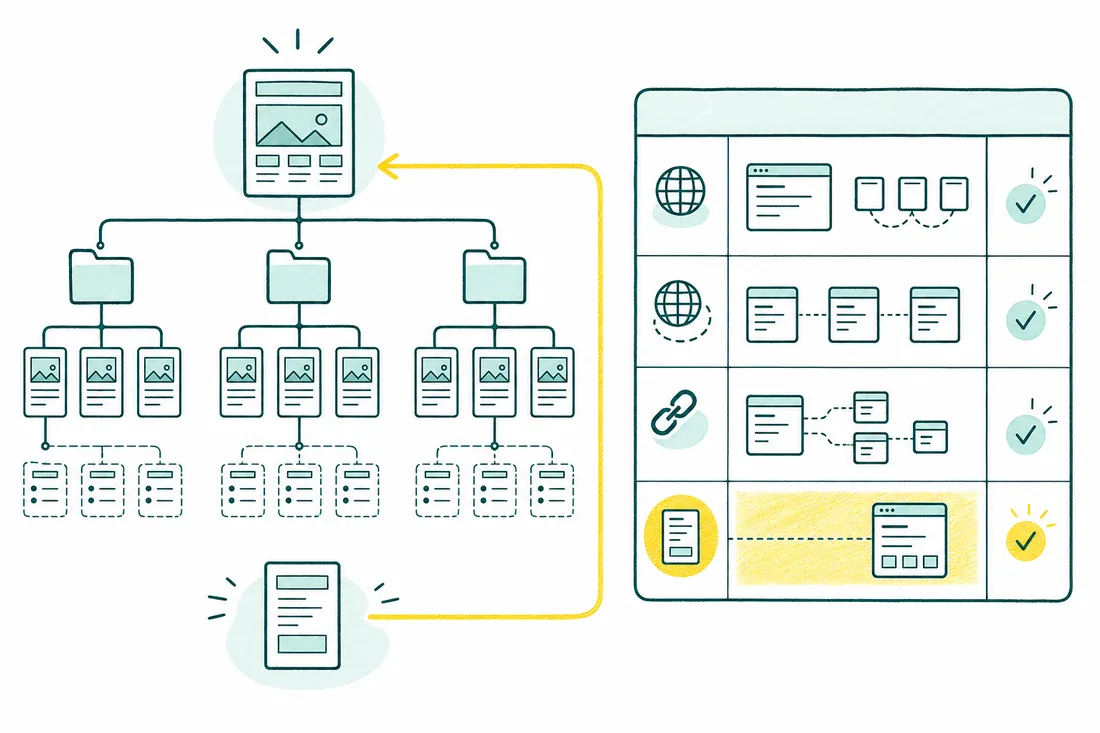
Start with a language-to-URL inventory covering every page type: homepage, service or product pages, articles, and conversion pages. Record each equivalent page and any untranslated gaps. This is release QA, not a decision about which countries to target; use the international SEO checklist for market-entry planning. An untranslated article does not need an invented counterpart.
Every language needs its own stable URL, reachable through ordinary links. Fetch representative URLs without cookies or an Accept-Language header, including from a US location, and record status codes and redirect chains. Google’s multilingual site guidance explains why this matters: Googlebot mostly crawls from US IP addresses and sends requests without that header. A browser remembering Turkish is not a reliable crawl test.
A visitor’s location must not make another language inaccessible. Prefer a dismissible language suggestion to forced IP-based routing. Cookies can remember an explicit choice, but must not be the only way to reach a language. Developers should verify equivalent-page language switches, production robots rules, and removal of staging noindex directives before launch.
Align URL architecture, canonicals, and hreflang
For distinct, fully translated pages intended for indexing, each canonical should point to that page’s own final URL—not the source-language version. Compare canonicals in HTML and HTTP headers if both exist. A Turkish page returning 200 can still be consolidated into English when its canonical points there. Developers own the template fix; SEO owns the expected URL mapping.
Check every alternate cluster for self-references and reciprocal links across all included languages. Each hreflang destination must resolve directly to the intended, indexable equivalent, not a redirect, error, or unrelated homepage. Use the hreflang guide for tag syntax; this checklist tests the relationships actually published. An optional x-default target does not replace language-specific entries.
Compare crawled HTML with XML sitemap annotations wherever both are implemented. They must not describe conflicting clusters. Follow Google’s localized-version guidance when correcting the mapping. Normalize HTTP/HTTPS, hostnames, and trailing slashes to the chosen final URLs. If a translation does not exist, omit that alternate instead of pairing the original with a generic language landing page.
Localize the full customer journey
A translated page is not yet a localized customer journey. Have a native-language editor check navigation, breadcrumbs, search results, cookie notices, field labels, validation messages, and thank-you screens. Compare the page title, main copy, and calls to action with the selected language. Set the HTML lang value correctly for accessibility; Google identifies page language mainly from visible content.
Submit a test lead or sandbox order in each language. Check the recipient’s confirmation, internal notification, transactional emails, password reset, and support handoff. Preserve the chosen language across subdomains and third-party tools where supported. Test accented characters and local address formats. The editor approves wording; developers and operations own form routing, integrations, and email templates.
Compare visible product prices and availability with structured data, including priceCurrency and offer URLs. Localize structured-data text fields where appropriate, and ensure URLs identify the correct language page. Language and currency are separate choices: Turkish copy does not automatically require TRY. Test number formatting, shipping messages, and the final charged currency; the payment amount must match what checkout tells the customer.
Verify indexing by language after launch
After deployment, group intended indexable URLs by language prefix, subdomain, or domain. Use Search Console properties with the right coverage and, if useful, separate language sitemaps to isolate problems. There is no universal language filter for indexing: your URL inventory supplies that grouping. Exclude intentionally non-indexable checkout, account, or utility pages from the expected indexable set.
Inspect matched examples from every template in each language. Compare the declared canonical with Google’s selected canonical in indexed data, then use a live test to check current access and rendered output. A successful live test does not prove indexing. Investigate unexpected noindex, robots blocks, redirected URLs, and wrong-language canonicals before treating every ‘crawled, currently not indexed’ result as a content problem.
In Performance reports, filter by the relevant page paths or properties and compare impressions, clicks, and queries for each language. Country is not a substitute for language: Turkish readers can live outside Turkey. Recheck affected pairs after fixes and subsequent crawling. The measurement owner should record deployment dates and separate crawl or canonical failures from normal differences in demand and discovery.
Set launch gates and define the audit scope
Make the release decision by defect scope, not by one overall score. Block affected language sections when forced redirects prevent access, staging noindex survives, or canonicals consolidate translated pages into another language. Prioritize other findings by affected templates and customer impact. A typo and a checkout that silently changes currency do not belong in the same priority bucket.
Assign developers to routing, templates, robots rules, structured data, and integrations; assign editors to language accuracy and interface copy. SEO owns URL equivalence and signal validation, while the measurement owner tracks indexing. An actionable finding includes the exact source and destination URLs, observed versus expected behavior, reproduction steps, affected template, owner, and retest condition—not just a warning screenshot.
Before buying help, ask which URLs receive automated checks and which language/template combinations receive manual testing. International SEO support can coordinate these release checks; a scoped SEO audit should turn findings into a prioritized implementation plan. Confirm whether native-language review, developer implementation, and post-launch retesting are included. Require a clear handoff so ‘audit delivered’ is not mistaken for ‘issues fixed.’
Pre-implementation verification checklist
- List every language, production URL pattern, and equivalent page pair, including pages that have no translation.
- Confirm access to crawl exports, sitemap files, Search Console properties, and a safe test path for forms or checkout.
- Document who removes staging restrictions and who verifies production robots rules, canonical URLs, and hreflang after deployment.
- Assign a developer, native-language editor, and measurement owner, with pass/fail evidence and a rollback plan for shared-template defects.
Frequently asked questions
Do we need a separate domain for every language?
No. Subdirectories, subdomains, and separate domains can all support multilingual sites. For an existing site, keeping languages under one domain may simplify operations, but no structure guarantees better rankings. Ask whether each language has a stable URL, whether it is crawlable without a saved preference, and whether your team can maintain it.
Can our translation plugin handle multilingual SEO on its own?
A plugin can generate language URLs and hreflang, but it cannot confirm that pages are genuine equivalents or that checkout and email templates use the right locale. Test its production output, not just its settings screen. Ask who owns updates, redirect behavior, untranslated content, and regression checks after theme or plugin changes.
What should a multilingual SEO audit deliver?
Ask for a language-to-URL inventory, reproducible findings, affected templates, and an assigned owner for each fix. The scope should distinguish full-site automated checks from manually tested pages and customer journeys. Confirm whether native-language review, implementation support, and post-launch Search Console checks are included or require separate work.
When should we check indexing after launch?
Run access and signal checks as soon as production is live, then revisit URL Inspection and indexing reports as Google recrawls. Submit clean sitemaps and track each language’s intended indexable URLs. There is no guaranteed indexing deadline; prioritize blocked URLs, unintended noindex, and wrong-language canonical selection before diagnosing slower discovery.