
Avoid beginning with a sitewide rewrite or a new link-building campaign. The immediate job is to narrow the explanation enough to choose a relevant action.
There is one important exception to the slower investigative process: a verified outage, access block or broken customer path needs prompt attention. You do not need to wait for an algorithm update to finish before fixing a page that no longer opens.
Start with a measurement comparison
Check which report first showed the decline. Search Console records Google Search activity; Analytics records activity according to its website measurement setup. Their totals should not be expected to match exactly.
Google's documentation on using the two sources together explains that clicks and sessions are different metrics. Tag implementation, measurement permissions, time zones and URL handling can also produce differences.
Use comparable scopes. An Analytics Organic Search total can include search engines beyond Google, while a Search Console Web report is a particular Google Search view. Review Google organic session sources where appropriate, and keep other search types distinct.
Illustrative situation: Analytics sessions fell on the day a new consent interface was published, while comparable Google clicks show no similar break. Measurement or arrival behavior deserves investigation before a ranking diagnosis. Check whether the tag runs in the intended conditions and whether the search destination opens correctly.
That pattern does not prove the tracking code is the only issue. A redirect or page-loading failure could prevent a clicked visitor from reaching the point where measurement runs. It is a branch to investigate, not a completed diagnosis.
When both tools show a similar decline, the possibility of a real search-traffic loss becomes stronger. You still need to explain where the loss occurred and why.
Find the first break, not only the biggest percentage
Look across enough history to identify when the change began. Then compare periods that make sense for the business: similar duration, a comparable mix of weekdays and, where relevant, the corresponding seasonal period.
Do not compare an unfinished day with a full day and interpret the difference as a lasting loss. Consider incomplete reporting and known processing issues as well. Google's traffic-drop troubleshooting guide includes data anomalies among the possible explanations.
For seasonal businesses, last year's pattern can be informative. Adjust your interpretation when holidays, promotions or the buying season fall on different dates. A calendar match is not always a demand match.
Check absolute losses alongside percentages. A large percentage change on a page with very little activity may matter less than a smaller percentage decline across an important product category. Prioritize the part of the loss that affects the business rather than the most dramatic-looking number.
Locate the loss within the site
Break down the change by page groups, queries, country and device. Separate service pages from articles, product pages from categories and branded searches from broader topic searches.
The question is whether there is a shared pattern. If only one template is affected, a common implementation change may be worth examining. If only one product group declined, availability or demand may be more relevant. A sitewide pattern calls for a different investigation, but it still does not identify a cause by itself.
Try to replace “organic traffic is down” with a more precise observation: “The decline began around this release and is concentrated in these category pages in this market.” That statement gives a developer or editor somewhere specific to start.
Compare affected and unaffected examples. A page that kept working can help reveal what changed in the pages that did not.
Treat metrics as clues with more than one explanation
| Observation | What to investigate next |
|---|---|
| Impressions and clicks both declined | Demand, rankings, indexing and changes in the mix of queries or pages |
| Clicks declined while impressions stayed similar | Search-result presentation, click preference and whether the underlying query mix changed |
| One template or section lost traffic | Shared technical settings, content changes, internal links and business changes in that section |
| Analytics fell without a comparable Search Console change | Measurement implementation, consent behavior, source definitions and successful arrival on the site |
For example, fewer impressions can result from less demand, not only from worse rankings. An unchanged average position also does not establish that every important query stayed in the same position.
Look for evidence that can distinguish the possibilities: a release record, a live URL test, a specific report status or a comparison of the relevant search results. If the observations disagree, keep the disagreement in the working notes. Do not force every metric to support the first explanation you considered.
Did the pages leave the index, or lose visibility?
Choose a few important affected URLs and a comparable page that kept performing. Inspect the exact addresses in Search Console and record the reported status, Google-selected canonical and last crawl. Then use a live check to see what the page serves now.
| What you find | What to do next |
|---|---|
| An intended public page now has noindex or an access block | Check the template, plugin or release that introduced it; correct the relevant setting |
| Google selected an unintended canonical | Compare the page’s content, canonical declaration, redirects and internal links with the selected URL |
| The page is indexed but lost important queries | Compare those searches, demand and competing pages before changing the technical settings |
A live test shows current access; the stored inspection shows Google’s recorded state. Save both with a date. Once a confirmed problem is corrected, check the published page and monitor the affected URLs rather than sending the same unchanged addresses every day. The technical SEO service covers this type of investigation and implementation handoff.
Check the website changes around that date
Ask about releases, hosting moves, CMS changes, theme or plugin updates, URL changes and content removal. “We did not touch SEO” is not enough: a design or development release can alter content, navigation and access without being described as an SEO task.
Open an important affected URL as a visitor. Does it reach the correct page? Is there a login screen, an empty listing, an error or an irrelevant redirect? Inspect the exact URL through Search Console's URL Inspection tool and distinguish the recorded index information from the live test.
If the affected pages share a template, check that common behavior before rewriting each page separately. If the change concerns product availability or service scope, establish what changed in the business as well as in the code.
After a migration, review old addresses and their intended new equivalents. The migration and redesign checklist explains how the required checks depend on the kind of move.
Correct a demonstrated implementation problem safely, with the responsible person involved. Do not roll back every unrelated change just to see whether the graph improves. That can remove useful work and make the cause harder to identify.
Test demand and competing-result explanations
Consider whether the customer need itself changed. Was the previous period unusually strong because of a promotion, event or short-lived trend? Did a popular product become unavailable? Has a seasonal peak ended?
Google's traffic-drop guidance recommends using Google Trends as a supporting check on relevant queries. A trend comparison can help frame the question, but it does not prove why your particular site lost visits.
Open current competing results in the target market. Examine what they provide: product choice, current information, a clearer service explanation or a different type of answer. Do not stop at “the competitor has a longer article.” Identify the useful difference a customer would notice.
If the evidence points to a genuine content gap, use the content refresh guide to decide whether to update, distinguish or combine pages. A reduction in traffic alone is not a sufficient reason to remove a useful page.
Also record changes in the search interface where they are relevant. An AI answer appearing for a query does not establish that it caused the entire decline. Keep the query, device, market and observation period attached to that hypothesis.
Separate core updates from manual actions
A decline overlapping a Google update is worth noting. Timing alone does not establish causation, especially when the business also published a site change or moved into a different demand period.
For assessing a suspected core-update effect, Google recommends confirming that the rollout has ended and waiting at least a full week before making the relevant Search Console comparison. This is assessment guidance, not a reason to postpone fixing an outage or a verified indexing restriction.
Review Search Console's Manual Actions and Security Issues areas too. If a notification exists, investigate what it actually says. If none appears, do not conclude that every algorithmic or quality-related possibility has been ruled out. Equally, a traffic decline should not be called a penalty simply because it is substantial.
End the investigation with a testable next step
You may not identify a single definitive cause during the first review. A useful result is a narrower explanation and a clear next check.
For example, a hypothetical investigation note might say:
The decline is concentrated in one category template after a release. Several affected URLs display an empty product list to a logged-out visitor, while a comparison category still works. The developer will investigate the template difference. A sitewide algorithm explanation has not been established.
That record separates the observed behavior from the proposed investigation. It is more useful than labeling the whole event a penalty or commissioning new content before checking the page.
After a fix, verify the condition that justified the work. Does the page load correctly? Has the relevant index status changed? What happens to comparable search activity and actual customer inquiries afterward?
An appropriate recrawl request can follow a correction, but it does not guarantee indexing or a return to previous traffic levels. A technical problem being fixed and a commercial recovery being demonstrated are different milestones.
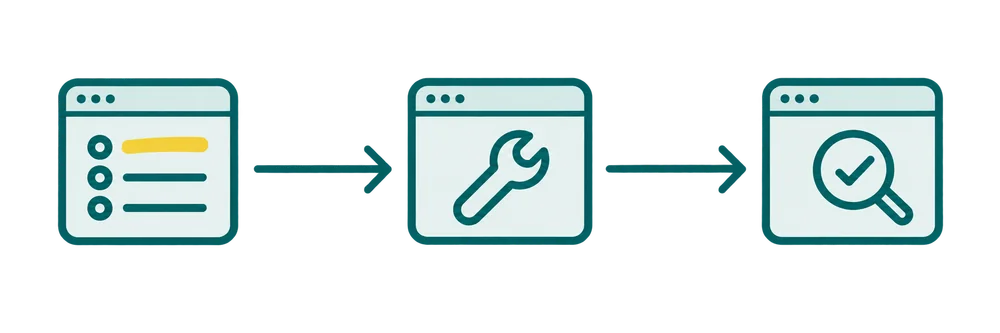
Record what matters, who will do the agreed work, and how completion will be verified on the live URL.
Write down what would change your diagnosis
For each suspected cause, record one supporting observation and one check that could contradict it. If you suspect a tracking break, compare Search Console with the relevant Analytics period. If you suspect a technical release, inspect affected and unaffected page samples around that date.
Keep an “unconfirmed” status until the evidence is strong enough to act. This avoids a large rewrite based only on a chart shape. On WordPress, template or plugin changes should be included in the technical review, not assumed to be harmless.
Avoid changes that outrun the evidence
Mass deletion, a sitewide title rewrite, indiscriminate link disavowal, purchased link packages or a move to a new domain should not be default responses to a traffic chart. Each needs a specific rationale and an implementation plan.
Similarly, replacing a lost-traffic chart with a more flattering AI-visibility score does not explain the loss. Track additional forms of visibility where useful, but keep the original business question in view.
For pages that appear absent from Google altogether, the indexing and visibility guide provides a narrower starting path. My technical SEO support can help investigate a broader decline. A written description of the site, the first date you noticed the change and the report showing it is enough to begin discussing the scope; there is no need to send passwords in the first message.