Included scope
5 priority pages
$395USD · English · one-off
- Up to 100 crawlable URLs; 5 priority pages
- Up to 5 redirects, 15 internal-link fixes and 10 images
- Schema checks for 2 supported template types
SEO services
I help improve your WordPress site’s search traffic, content and navigation. I review the pages and settings, explain what needs attention and make the changes we agree on.
Send your website and what you want to improve. We can start in writing; no call or technical diagnosis is required.
An example of the deliverable
Sample change log with illustrative tasks.
| Agreed item | Rollback record | Change | Acceptance check |
|---|---|---|---|
| An old service URL redirects twice | Save the current redirect rules and hosting backup reference. | Use one supported redirect to the agreed final destination. | Check status codes, destination and absence of a loop. |
| The service hero image is oversized | Keep the original file and existing image settings. | Resize/compress one image and retain suitable dimensions and alternative text. | Check mobile/desktop display, file loading and layout stability. |
Title and settings changes are not full content rewrites. Included counts, supported templates and post-change checks are agreed before access is used.
The counts define the work included. They are not a reason to add unnecessary pages or changes.
Included scope
$395USD · English · one-off
Included scope
$695USD · English · one-off
01
The starting point is the part of your website that matters to the business: service pages that should bring inquiries, articles that support those services, or products customers are looking for. I connect the research with changes we can actually make.
Use search demand, search intent and available Search Console data to decide which pages to improve, combine or create. You receive a page plan, not just a keyword export.
Write or refresh titles, openings, headings and copy around what customers need to understand. Add useful detail and clear contact options without stretching every page to a target word count.
Improve navigation and contextual internal links. Review category and tag archives so they help people find information rather than creating several near-identical paths.
Review sitemap entries, indexing settings, preferred URLs and redirects. Check what your SEO plugin outputs on the page, not just what the dashboard says.
Implement suitable dashboard and content changes. Investigate image, mobile and loading problems; identify any work that needs your developer or hosting provider.
02
I compare the searches you want to attract with the pages people encounter. The question may be about a service, a price, a comparison or a process. I use DataForSEO, available Search Console data and manual competitor review to decide which page should answer it.
You receive a page plan with a reason for each priority:
| Website situation | Work I would assess first |
|---|---|
| A service business publishes articles but its main offer is unclear | Improve the service page and its inquiry route |
| Several pages answer the same buying question | Compare their purpose and performance before choosing an update or consolidation |
| A useful page appears only in a long archive | Add appropriate navigation and links from related content |
| A WooCommerce category attracts the wrong searches | Review the product selection, page intent and buying information |
The keyword-to-page mapping guide shows how the research becomes a workable plan. For practical service-business examples, see the plumbing website structure and auto repair website guide.
03
Yoast SEO, Rank Math and similar plugins can manage useful settings. They can’t decide which pages your business needs or verify every claim in your copy. Yoast’s own guidance makes the same distinction between content scores and a wider strategy.
| Task | What a plugin can help with | What I assess |
|---|---|---|
| Page titles and descriptions | Store and output the settings | Whether they match the page, search intent and offer |
| Sitemaps and indexing | Generate a sitemap and apply directives | Which URLs belong in search and whether page signals agree |
| Content checks | Flag selected writing patterns | Missing answers, unsupported claims and useful detail |
| Structured data | Output supported markup | Whether the markup matches the visible page and its purpose |
I can usually review your existing setup without replacing it. A paid plugin, new theme or additional tool needs a reason tied to the website—not a place on a standard shopping list.
04
A category should help someone find and understand a useful group of content. I review its introduction, article selection, navigation and search performance together. Tags need the same review; they may be helpful topics or almost identical lists.
Illustrative archive review: an equipment publication has one maintenance category and several overlapping tags. The working list records the archive URL, articles listed, current search activity and links pointing to it. I can then recommend improving the category, retaining a genuinely distinct tag or dealing with a redundant archive.
The handoff explains what happens to each URL and any links pointing there. That matters when older articles and external websites still use an address. The internal-linking guide explains how those pages can support the wider site.
I also check the reading experience: mobile headings, images, menus and forms. If loading or responsiveness is a problem, the WordPress speed guide provides the measurement and implementation questions to resolve first.
05
Decisions and progress are shared in writing. For custom theme code, server changes or integrations, I give your developer clear requirements and review the SEO aspects of the result. You’ll know which work I own and which needs your team.
Want to do an initial check yourself? Use the WordPress SEO audit checklist.
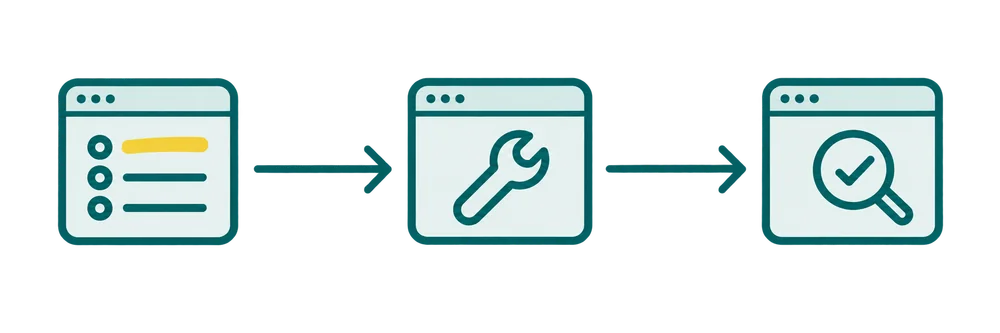
Record what matters, who will do the agreed work, and how completion will be verified on the live URL.
06
I have more than 10 years of SEO experience, including agency work at GroupM Istanbul. I continue to develop my own publishing websites, Zovovo and Supplement Explained, where research, page updates, WordPress implementation and internal linking are part of the ongoing work.
The example below shows an actual page-structure decision from an owned project: the reason for the change, the implementation and the checks completed.
Illustrative priority table, not findings about your website.
| Finding | Page | Change | Check |
|---|---|---|---|
| Incorrect canonical | Service template | Use the intended URL | Compare HTML and URL Inspection |
| No contextual internal links | Service page | Link from the hub and relevant guides | Check links and recrawl |
An example from my work
Edited implementation summary · owned website · July–August 2026
These formats are adapted to the agreed scope; they are not published client documents.
Illustrative working template
Sample working format, ready to fill with your site findings.
07
Yes. I can review the existing plugin settings and the pages they affect. The work can focus on research, content, internal links or technical issues rather than installing another SEO plugin.
Both can be included. The proposal separates research, copywriting, dashboard implementation and follow-up so you know what you’re hiring me to do. I’ll ask you to confirm business-specific facts such as services, prices and guarantees before they are published.
Not necessarily. I investigate the source of the problem before recommending a replacement or upgrade. Some changes can be made in WordPress; custom code or hosting changes may need your developer or provider.
Yes. A focused review, a group of page updates or agreed fixes can be a separate project. Ongoing support makes sense when there is continuing content and technical work, not simply because the site uses WordPress.
The estimate depends on the pages, research, writing, implementation and follow-up involved. I provide a scope, estimated hours or project fee, and delivery plan before work starts. Completing the changes and seeing movement in search are different timelines; I don’t promise a fixed ranking date.
I separate completed website changes from search and business results. Depending on the available tracking, we can follow relevant queries, impressions, clicks and organic inquiries or sales—not just a plugin score. The reporting period and affected pages are defined so the comparison is meaningful.
The same work can support useful, accessible content for search, including AI features. It does not guarantee a citation. If AI visibility is a main objective, we can add query and citation research through a separate AI-search optimization scope.
08
Send the website and the issue or goal that prompted you to look for help. A few lines are enough; you don’t need to choose the right SEO term or share login credentials in your first message.
Describe your WordPress project or email umitkaratay@gmail.com.
Get help with your WordPress siteIllustrative deliverable excerpt
Search Console findings are checked against crawl data, WordPress settings, plugin output, and logged-out page responses. The handoff distinguishes configuration changes from theme or plugin work and gives each item a production-safe acceptance check.
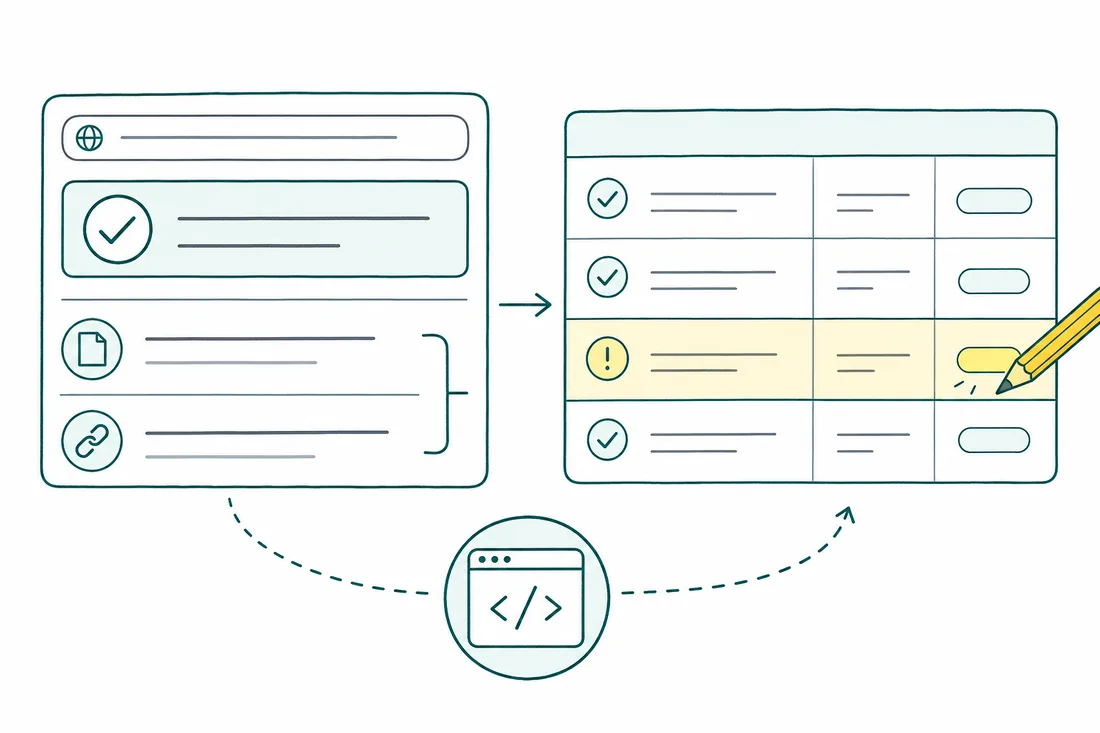
| Observed signal / URL pattern | Root cause | Action & owner | Verification check |
|---|---|---|---|
Production pages return a noindex directive, and Search Console reports exclusion by 'noindex'. | The production deployment inherited staging’s search visibility setting, with the directive also present in cached responses. | Developer: correct the production visibility setting, remove any identified host-level noindex rule, and purge page and CDN caches. Keep staging protected by authentication. | Check logged-out response headers and HTML for remaining noindex directives. Run URL Inspection’s live test, then check the indexed record after recrawl; separately confirm staging still requires authentication. |
WooCommerce exposes repeated ?orderby=price and combined ?filter_... URLs through crawlable navigation. | Layered navigation generates redundant combinations without separating sorting states from useful filter landing pages. | SEO: identify filters worth indexing. Developer: consolidate sort-only URLs to the base category, reduce redundant facet links, and retain deliberate landing pages for approved filters. | Sample base categories, sorting URLs, and approved filter pages. Compare content, canonical values, robots access, and sitemap inclusion; canonicalized URLs must remain accessible for Google to read the signal. |
| Search Console flags a mobile LCP issue for a URL group; template testing shows the Elementor hero image is discovered late. | The hero depends on delayed CSS or widget initialization, while unnecessary builder assets load on the template. | Developer: expose the actual hero image early, avoid lazy-loading that LCP image, and remove unused template assets without breaking dependent widgets. | Retest representative templates under consistent mobile conditions. Check the LCP element, image discovery, layout stability, navigation, and forms; monitor the field-data group as its reporting window refreshes. |
Define the work with SEO audit deliverables, review WooCommerce URL rules with the faceted navigation guide, and use the website redesign guide before changing themes or builders.
Practical guides
Understand the problem, compare your options and choose the right support.
Choose a website upgrade around the customer problem, not the age of the theme.
Read the guideFind the WordPress pages and interactions that feel slow. Understand LCP, INP and CLS, then choose a clear improvement and implementation scope.
Read the guideCheck WordPress visibility, indexing, sitemaps, page titles, archives and internal links. Know what to inspect yourself and when a change needs help.
Read the guide