
Core Web Vitals help describe those experiences. Use real-user data where available and diagnostic checks to decide which change will help. Then check that the customer journey still works.
Start with the page and the task
Start with the route to a lead or sale: landing page, navigation, form, confirmation. A fast homepage does not establish that the rest of the site works well.
Measure representative templates:
- A main service page and its inquiry form.
- An article with typical images and embeds.
- Product, cart, and checkout pages if you sell online.
Test mobile and desktop separately. Record the URL, device, consent state, and whether you are logged in; these can change the experience. A WordPress SEO review should put these templates in business-priority order.
Read the three metrics separately
Core Web Vitals describe three different experiences. Their good thresholds apply at the 75th percentile: at least 75% of measured visits should meet each limit.
| Metric | What it describes | Good threshold |
|---|---|---|
| LCP: Largest Contentful Paint | When the largest visible content element appears | ≤2.5 seconds |
| INP: Interaction to Next Paint | Responsiveness to clicks, taps, and keyboard input | ≤200 milliseconds |
| CLS: Cumulative Layout Shift | Unexpected movement of page elements | ≤0.1 |
A full assessment normally considers all three for the relevant device group. PageSpeed Insights documents an exception when INP has insufficient data: good LCP and CLS can still produce a pass. The Web Vitals definitions explain these thresholds. A stable page can still respond slowly, and a responsive page can still load its main content late.
WordPress SEO helps investigate whether slow templates stem from the theme, plugins, or media, while technical SEO examines rendering and crawlability alongside performance. Use the SEO audit deliverables guide to request URL-level evidence, prioritized implementation tasks, and separate acceptance checks for lab tests and field data.
Separate real-user evidence from a lab score
PageSpeed Insights combines two views. Its field panel summarizes real-user observations over the trailing 28 days; its lab panel runs a controlled test. Check whether field results describe the exact URL or the whole origin—the URLs sharing a protocol, hostname, and port. Origin results are not proof about one page.
A green Lighthouse performance score can coexist with a slow menu because a standard loading test does not reproduce every interaction, device, or session.
No field data is not a failure. A low-traffic URL may lack enough samples. Use repeatable lab tests and manual interaction checks rather than treating missing data as a red result. Google’s PageSpeed Insights documentation explains data coverage and why field and lab results can differ.
Choose fixes from the evidence
WordPress performance involves hosting, configuration, content, themes, and plugins—not one universal switch. WordPress’s optimization guidance covers these layers. Prioritize the layer causing the delay.
- Slow HTML response: Compare cached and uncached requests. Investigate hosting limits, application work, and expensive database queries. Change hosts when evidence points there, not simply because a sales page recommends it.
- Late main content: Identify the actual LCP element. If it is an image, make it discoverable early, serve an appropriately sized file, and do not lazy-load that first-screen image. Also check styles that delay rendering. The LCP optimization guidance explains resource discovery and loading priority.
- Slow interactions: Identify long-running JavaScript and unnecessary work. Review chat, tracking, and other third-party scripts. Avoid blanket delays that also postpone essential menu or form code.
- Moving layout: Reserve space for images, embeds, and banners. Check whether font changes move important controls.
A paid caching plugin is useful only if its features address the diagnosed problem. Adding overlapping optimization plugins can make troubleshooting harder.
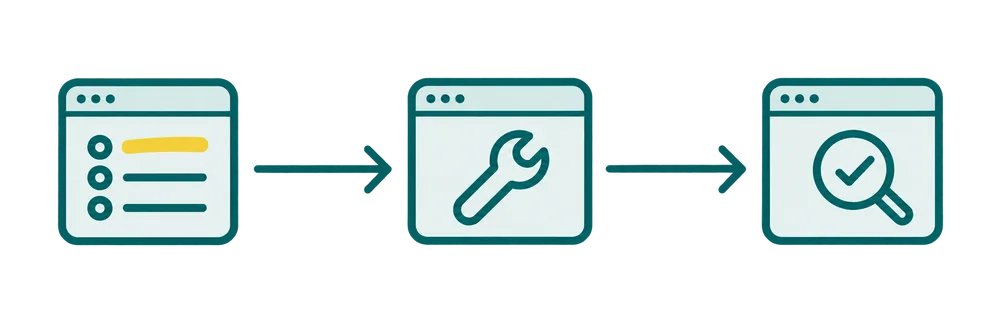
Record what matters, who will do the agreed work, and how completion will be verified on the live URL.
A late image and a frozen form need different work
Example: A contractor’s service page may show its hero image late but respond quickly to taps. Another page may render quickly yet freeze when the estimate form opens.
The first calls for inspecting image discovery and delivery; the second calls for examining interaction work. Installing the same cache preset on both pages is not a diagnosis. Ask whoever proposes the fix to connect the observed symptom, its likely cause, and the test that will verify it.
Protect functions and verify the improvement
Back up the site and record current settings before changing plugins, caching, or script behavior. Use staging when available, then verify production too.
- Submit forms through to confirmation and verify message delivery.
- Open mobile menus, accordions, cookie controls, and embedded tools.
- On stores, test variations, cart updates, payment handoff, and purchase confirmation. Keep personalized flows out of shared page caching.
Repeat lab tests under comparable conditions and save a change log. Check for regressions after theme or plugin updates. Field data blends older and newer visits, so one day’s result cannot establish whether an improvement held. Look for sustained change on the affected templates, alongside working customer journeys.
Buy a defined scope, not a promised score
Ask for a written scope covering the important URLs, baseline evidence, prioritized changes, implementation ownership and follow-up checks. Confirm which hosting changes, paid licenses or custom theme work require a separate quote.
I can help connect speed issues with your wider WordPress SEO priorities. The SEO audit package covers diagnosis and recommendations; supported implementation is agreed separately.
Send the affected URLs and the problem you see so we can choose an appropriate starting point. A useful handoff explains what changed, what remains and how to check it again.