
Do not start by rewriting the entire website or submitting the same URL repeatedly. Choose one important page you expect customers to find and establish what is happening to that address.
Start with an exact page, not a website-wide assumption
Your homepage appearing in search does not establish that every product or service page is indexed. One missing page does not establish that Google has excluded the entire website either.
Open the page while signed out of your website account. Does it show the intended content, ask for a password, return an error or send you somewhere else? Write down the address that actually loads. If the problem began during a migration, keep both the old address and its intended destination so you can investigate them separately.
In Search Console, open the relevant property and enter the full address in URL Inspection. Review the recorded status, crawl information and any explanation for exclusion. Keep a dated note of the result and recent changes to the page.
Google's URL Inspection documentation distinguishes the recorded index information from the live test. A successful live test is not confirmation that the page is indexed or will be indexed. This matters after a fix: the current page can differ from the version Google previously recorded.
What about searching with site:?
A search such as site:example.com can provide a quick observation, but it is not a complete inventory. Google's explanation of the site search operator says an indexed URL is not guaranteed to appear in those results. An empty search should therefore prompt further investigation, not an immediate conclusion that nothing is indexed.
Also separate a brand search from a broad service search. Not finding a company for its own name and not finding it for “commercial cleaning services” are different observations. Record the actual query rather than describing both as “not on Google.”
If the page is not indexed, read the reason before choosing a fix
Some exclusions are intentional. A customer account page may be meant to stay out of search. A parameterized product URL may be an alternate version of the correct product page. Trying to get every URL indexed can distract from making sure the right pages are available.
Google's Page indexing report documentation explains the status categories. For a first review, distinguish these situations:
| Status in plain language | Useful next question |
|---|---|
| Discovered but not yet crawled | Can the page be reached reliably, and how is it linked within the site? |
| Crawled but not currently indexed | What purpose does the page serve, and are there similar versions or missing information to investigate? |
Excluded by noindex | Was exclusion intended for this particular public page? |
| Alternate page with a canonical | Is the selected primary URL the version you actually want customers to find? |
These are starting questions, not automatic diagnoses. “Crawled, currently not indexed” describes a state; it does not, by itself, prove a penalty or tell you exactly what is wrong with the writing.
Look at a few representative URLs before making a site-wide change. An exclusion affecting all service pages after a template update deserves a different investigation from an alternate sorting URL that has never needed its own search presence.
Check access controls without removing protections blindly
If the public page does not open correctly, start with that failure. Give your developer or hosting provider the affected address and observed behavior. A working homepage is not evidence that the product template, a redirected URL or an important resource works too.
A firewall or other access control can also require investigation. Ask which request was blocked and why; do not disable the entire security setup simply to see whether a search report changes.
Two settings frequently cause confusion:
Robots.txt controls crawling. It tells crawlers which paths they may access. It is not a reliable way to keep a known address out of search or protect private information. Google explains that a blocked URL can sometimes still appear when it is discovered through links in its robots.txt introduction.
Noindex asks for exclusion from the index. It can be delivered in the page or an HTTP response header. Google needs to access the page to read the instruction; blocking that access can prevent the instruction from being seen. The interaction is covered in Google's noindex guidance.
The practical question is not whether a setting exists. It is whether that setting matches the purpose of this page. A restriction left on a public service page after launch is different from an intentional restriction on a development copy.
For a WordPress website, include the site visibility option and relevant page-level settings in the investigation. The WordPress SEO checklist separates safe observations from changes that need a backup or technical support. Installing another SEO plugin is not the first requirement.
Is Google using a different version of the page?
A canonical preference helps identify the primary URL among duplicate or very similar versions. That can be useful for product URLs with different parameters. An unexpected preference on a distinct service page needs closer review.
Compare the declared preference with the Google-selected address where that information is available. Does the intended primary page load? Do internal links and the sitemap consistently point to it, or does the website keep sending visitors to an older variation?
Google's canonical documentation describes ways to signal the preferred version; those signals do not force Google to accept it. Adding a canonical is therefore not a guaranteed indexing fix.
Do not use the setting to collapse genuinely different pages merely because they share a phrase. A buying guide and a service page may need to remain separate because they answer different questions. Conversely, a sorting variation does not automatically need a separate place in search.
Check whether the important content can actually be seen
Consider a hypothetical store whose product category looks complete in the owner's browser, while the inspected version contains a header and an empty product area. Adding a longer category description would not address the missing product list. The team needs to investigate how the content loads and whether the required resources can be accessed.
The rendered test output can help a developer identify that difference. Ask the developer to examine the specific missing section rather than assuming that all JavaScript is a problem. The relevant question is whether the useful page content and links are available in the version being examined.
Then try reaching the page through the website itself. Can a customer follow a menu or a relevant content link to it? Google's link guidance recommends linking to important pages from elsewhere on the site. A sitemap does not replace a usable path for visitors.
A useful first repair may therefore involve restoring a missing internal link, correcting the content delivery or fixing an accidental restriction. The choice should come from what you found, not a universal checklist applied without context.
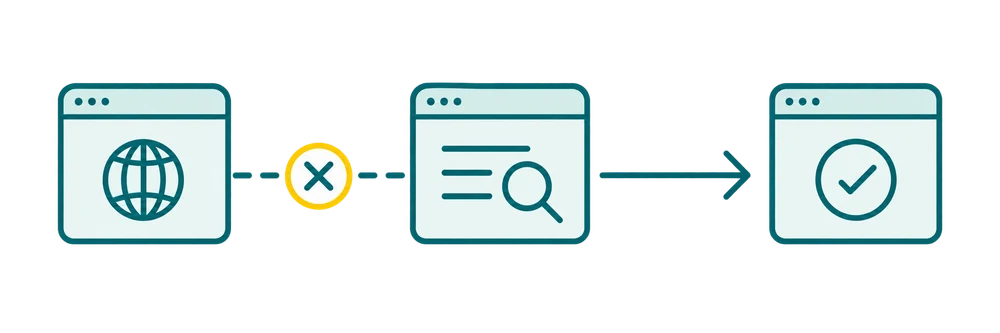
Verify both the live rendered page and the indexed canonical record in Search Console so technical fixes match how Google processes the URL.
The page is indexed. Why does the search still not show it?
At this point, repeated submission is unlikely to answer the main question. Examine the page's available Search Console performance data and the searches it is meant to serve. Keep the relevant market, page type and business offer in view.
For example, someone comparing service providers needs to understand what is offered, who it suits and how to proceed. A generic company history may be a poor answer even if the page is technically accessible. Someone looking for a particular product model has a different need again.
Read current competing results in the target market to understand those distinctions. Do they provide a product selection, a detailed product page, a comparison or an explanation? Use the observation to question your own page's purpose rather than copying the competing headings.
Being indexed also does not establish that every technical issue has been resolved. It changes the starting point of the investigation; it does not certify the whole website. The guide to increasing organic traffic covers the next decisions around page fit, useful information and existing visibility.
Separate “discovered” from “crawled” in your next action
“Discovered – currently not indexed” means Google knows the URL but the report has not recorded a crawl for it yet. Check discovery paths, sitemap inclusion, internal links and server access. Do not treat it as proof that Google has reviewed and rejected the text.
“Crawled – currently not indexed” calls for a different review: what Google fetched, page purpose, duplication, canonical context and useful information. Neither label identifies a single cause or guarantees a fix. The live test checks current access, not a promise of indexing. If you need implementation help on WordPress, see WordPress SEO support.
Should you request indexing—and how long should you wait?
An indexing request can be appropriate for an important new page or after you have addressed an identified problem. First confirm that the intended change is present on the live URL. Keep a record of what was changed so the next check has something meaningful to test.
Google's recrawling guidance states that a request does not guarantee inclusion and that repeated requests for the same address do not make crawling faster. Submitting the URL every day is not a substitute for understanding why the page is missing.
There is no guaranteed appearance date for a new website. That does not mean every problem should be left alone until the domain is older. Fix a confirmed broken page, unintended exclusion or wrong redirect when it is found. If Search Console reports a security issue or manual action, investigate the actual notice rather than treating every missing page as evidence of one.
After a change, repeat the relevant check: is access restored, is the intended content present, and has the recorded status changed when Google processes the page again? Keep implementation checks separate from any later improvement in search visibility.
My technical SEO support can help with an unclear result or a pattern affecting important pages. Send the URL, the search you tried and the status you are seeing. An email is enough to start; you do not need to send a password or know the technical diagnosis.