
I built the Cedar Plumbing demo around a fictional business so you can explore the page structure, mobile layout and WordPress editing experience.
Give urgent and planned jobs different routes
On a phone, the opening needs a readable service description, a genuine service area and a clear contact action. A tap-to-call link can help urgent visitors; a short inquiry form suits work that needs an estimate.
Do not label the button “24/7 emergency service” unless the business actually provides it. If calls are answered only during opening hours, show those hours. A submitted form must not imply that a technician is already on the way.
For a planned installation, ask for the type of job, area and a brief description. Photos can help the plumber assess what to ask next, but a secure upload or messaging integration is a separate function to scope. The standard website package includes a contact form, not a dispatch system.
Turn plumbing jobs into a useful page plan
For a plumbing website, local SEO connects clear service coverage, consistent business details, and easy contact options to the areas you actually serve. For layout ideas, compare the electrician website design guide and roofing website design guide, then adapt the contact paths and project evidence to your own plumbing services.
Start with the jobs customers describe when they call. A repair page and a replacement page should help them make different decisions.
An example plan to adapt to your business
| Customer need | What the page should explain | Useful next step |
|---|---|---|
| An active leak | Service area, answered-call hours and the information needed to arrange a visit. | Call the business; show a separate route for non-urgent requests. |
| A blocked drain | The drains and property types covered, the assessment process and possible access needs. | Request an assessment with the ZIP code and type of blockage. |
| Water-heater replacement | Systems installed, what affects the quote and how removal and installation are handled. | Ask for a replacement estimate, with the current system if known. |
| Comparing a quoted job | What the estimate includes, when an on-site assessment is needed and who answers questions. | Read the work process and request a written estimate. |
An example page plan
/plumbing/Plumbing servicesA clear starting page linking to the actual jobs offered.
/plumbing/leak-repair/Leak repairAnswer immediate repair questions without mixing them with remodeling.
/plumbing/drain-cleaning/Drain cleaningExplain the specific drain work the team accepts.
/water-heaters/replacement/Water-heater replacementSupport a considered purchase with equipment and quote details.
/service-area/Coverage and call-out detailsUse real coverage, hours and any stated travel charges.
Try a planned-work inquiry
Use invented details to see how a short request can help the plumber decide what to ask next.
Design example · Nothing is sent or saved. Try it with sample details.
Choosing a Business Profile category
These are descriptions to look for in the live category selector, not a verified category list. Choose the available primary category that best describes the business; add secondary categories only for services it actually provides.
For your developer: a structured-data example
For the real plumbing business, connect Plumber data to its genuine name, website, contact details and service area. Keep private residential addresses private. The downloadable code is an example to adapt, not the markup for this guide.
{
  "@context": "https://schema.org",
  "@type": "Plumber",
  "name": "Example business name",
  "url": "https://example.com/",
  "telephone": "REPLACE_WITH_VERIFIED_NUMBER",
  "areaServed": "Your real service area"
}
Replace the example fields with verified business details. This code is not used as this guide’s business identity.
Choose pages by the jobs you want to receive. Add a separate location page when it has useful local details to explain.
What the WordPress demo helps you compare
The website package page shows actual desktop, mobile and editing-dashboard screenshots from the fictional WordPress demo. They let you compare the visitor-facing design with the tools used to maintain it.
Look at three decisions: whether the phone contact is easy to find, whether the service information is readable without zooming, and whether a customer can work out the next step. A large hero photo is not useful if it pushes all three below the opening screen.
For your website, the content would use your approved business information, completed-job photos, customer reviews and any relevant license or warranty details.
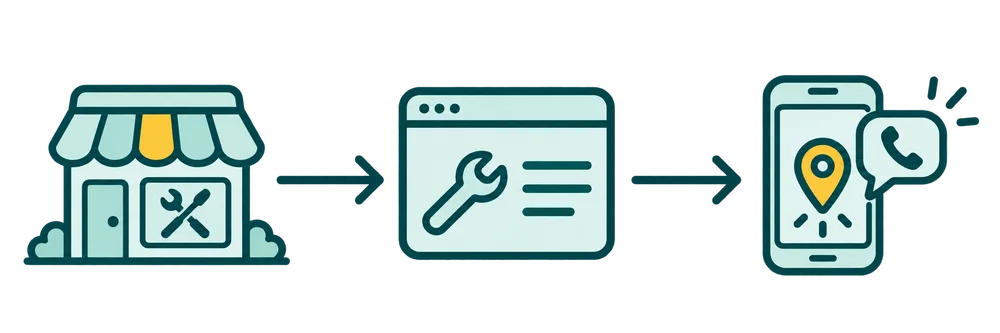
Accurate business details, service-area clarity, and a fast mobile contact path help nearby customers understand your offer and reach out.
Keep the service area and business profile honest
Your website and Google Business Profile should describe the same real business. A plumber who travels to customers is not automatically a storefront at every place served. Google sets specific business representation and service-area rules.
Explain the areas you serve and keep the profile’s address settings accurate. Google says local results depend mainly on relevance, distance and prominence.
If the profile is missing entirely, investigate that separately from the website's search ranking. Use the Google Maps visibility checklist before changing pages at random.
Start with the calls you want to receive
List your actual services, coverage and call-answering hours. Choose the urgent call route and the planned-work request separately. That is enough to start a focused website brief; the page plan above can go directly to your writer or developer.